Cortext4.5.2.4520046
Publisher Description

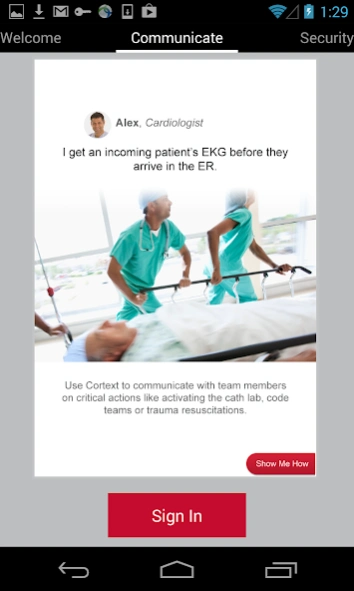


Imprivata Cortext™ is the secure communication platform for healthcare.
Imprivata Cortext® is the secure communication platform for healthcare that enables hospitals to replace pagers for improved care coordination, patient safety and patient satisfaction.
Imprivata Cortext enables healthcare organizations to:
- Communicate securely from any workstation or mobile device
- Improve security and ensure HIPAA compliance with streamlined communications for healthcare
- Improve provider efficiency and patient satisfaction
- Utilize context-rich messaging to improve inefficient communication technology
- Increased adoption and ease deployment with Imprivata OneSign integration
Key Clinical Features:
- Secure text, photo & group messaging
- Multi-site communication
- Multi-device with real-time message sync
- Delivery and read receipts
- User-set customizable Availability Status
- Quick responses and callback requests
- Out-of-Network messaging to affiliated providers
- Clinical system integration
Key Administrative & Security Features:
- Active Directory authentication
- Single Sign-On integration
- Verified for HIPAA compliance by 3rd party
- 256-bit Encryption in transit and rest
- Remote Wipe & App PIN enforcement
About Cortext
The company that develops Cortext is Imprivata, Inc. The latest version released by its developer is 4.5.2.4520046.
To install Cortext on your Android device, just click the green Continue To App button above to start the installation process. The app is listed on our website since 2023-08-09 and was downloaded 8 times. We have already checked if the download link is safe, however for your own protection we recommend that you scan the downloaded app with your antivirus. Your antivirus may detect the Cortext as malware as malware if the download link to com.imprivata.Messaging is broken.
How to install Cortext on your Android device:
- Click on the Continue To App button on our website. This will redirect you to Google Play.
- Once the Cortext is shown in the Google Play listing of your Android device, you can start its download and installation. Tap on the Install button located below the search bar and to the right of the app icon.
- A pop-up window with the permissions required by Cortext will be shown. Click on Accept to continue the process.
- Cortext will be downloaded onto your device, displaying a progress. Once the download completes, the installation will start and you'll get a notification after the installation is finished.
Program Details
System requirements
Download information
Pricing
Version History
version 4.5.2.4520046
posted on 2023-08-09
Imprivata Cortext for Android 4.5.2 includes the following fixes:
Notifications are again enabled after Do Not Disturb expires.
The login screen now includes a link to Self Service Password Reset, if applicable.
Meets Google’s requirements for Android 13 compatibility for Play Store apps.
version 4.4.1.4411008
posted on 2019-10-17
. The new Cortext Android Mobile Application supports both 32-bit and 64-bit Android devices from the same application allowing the Cortext Mobile Application to leverage the new 64-bit architecture when available.
. The v4.4.1 Android Mobile Application Update also includes fixes targeted at reliability and usability of the Cortext Android Mobile Application.
version 4.4.0.4400063
posted on 2019-08-13
. Previous versions of the Cortext Android Mobile Application had intermittent issues with notifications when the QR code was used for client login to the mobile application. This could result in the Android Mobile Application to not receive message notifications.
. This impacts Cortext Android Mobile Application clients only and does not impact Cortext iOS, Desktop or Web clients
version 4.3.2.4320024
posted on 2019-04-25
version
posted on 2018-02-14
Performance improvements, optimizations, and bug fixes focused on:
- Device synchronization
- Connectivity
- Notifications
- Message delivery
version
posted on 2016-11-01
* Performance Improvements
